All fill.zone modes share one objective: place growing shapes and cover more of the board than your rival before the timer reaches zero. What changes is who sits on the red side and how much control you want over the rules.
Solo
Jump straight into Quick Match or tune the board and AI difficulty.
Explore solo playLocal
Pass one phone, tablet, or computer between two players.
Explore local playOnline
Use matchmaking or share a private four-digit room code.
Explore online playCompare every game mode
| Mode | Opponent | Devices | Best for |
|---|---|---|---|
| Quick Match | AI | One | Starting immediately |
| Solo vs AI | Easy, medium, or hard AI | One | Practice and custom rules |
| Local Match | A friend nearby | One | Pass-and-play competition |
| Private Room | An invited friend | Two | Remote 1v1 games |
| Random Match | An online player | Two | Ranked competition |
Quick Match and Solo vs AI
Quick Match removes setup. It chooses a valid board, filler, and turn style, then starts a game against the AI. It is the shortest route from the homepage to your first tap.
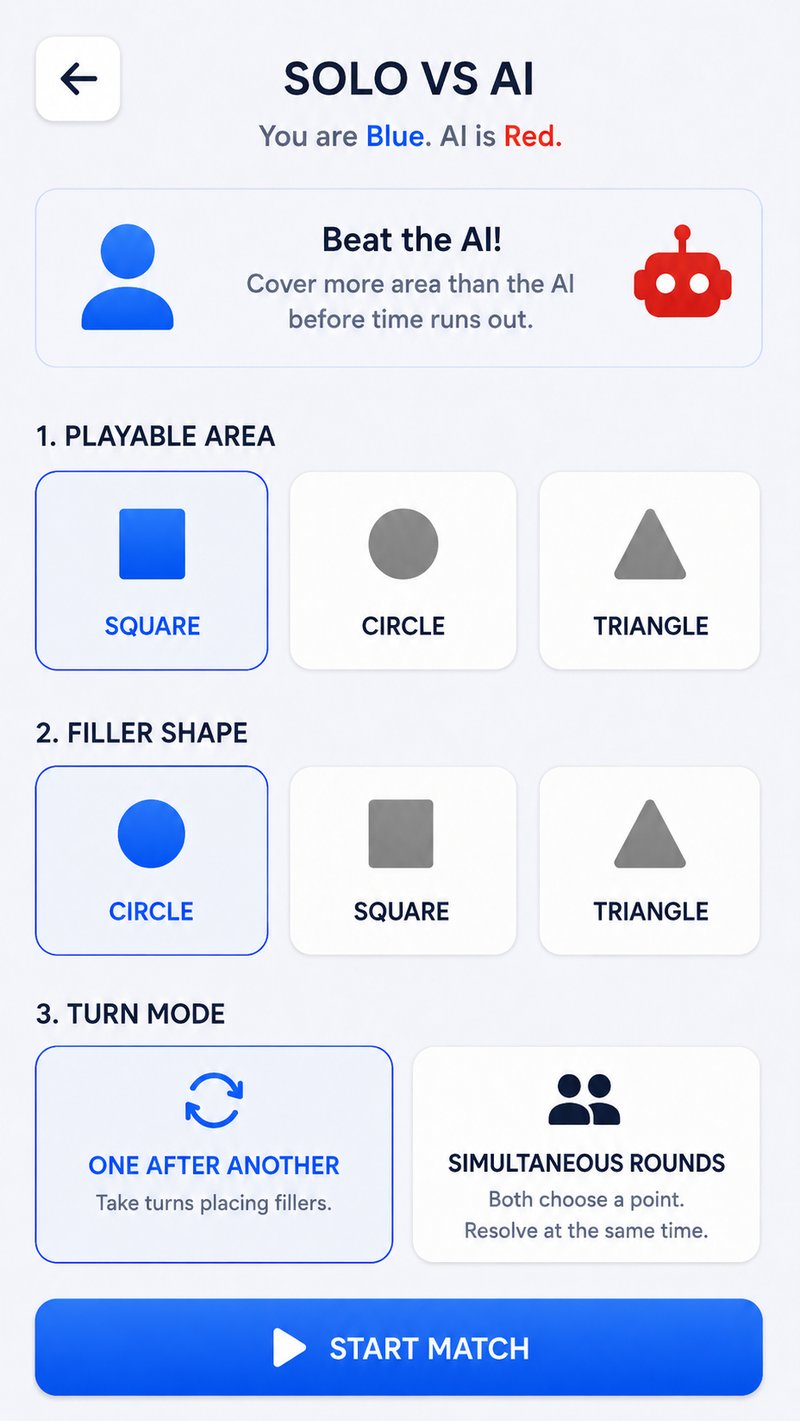
Solo vs AI gives you the controls. Pick a square, circle, or triangle board; choose a circle, square, or triangle filler; switch between alternating turns and simultaneous rounds; then select easy, medium, or hard difficulty.
Play one Quick Match to learn the rhythm, then use Solo vs AI to repeat the same geometry until the gaps become easier to read.
Local 2-player pass-and-play
Local Match puts Blue and Red on the same device. In alternating mode, hand the device over after each placement. In simultaneous rounds, both players choose in sequence and the game resolves the pair together.
No online room is required, so local play is useful on a shared phone, tablet, laptop, or classroom display. It is deliberately unranked: the point is a quick head-to-head game with someone beside you.
Private online rooms
A private room lets two players use separate devices. One player hosts and receives a four-digit code; the other opens fill.zone, chooses Rooms, selects Join, and enters that code. The host plays Blue and the joining player plays Red.
For a step-by-step invite flow and troubleshooting tips, see how to play fill.zone with friends.
Random online matchmaking
Random Match looks for another waiting player and begins a competitive game when a rival is found. Online matches exchange small move messages instead of streaming video, so the game remains lightweight.
Everyone starts with a 1000 rating. Competitive results move that number up or down; the rating pill on the menu shows your current tier. Read the online multiplayer guide for the full match flow.
Game mode questions
Can I play fill.zone by myself?
Yes. Quick Match starts immediately against the AI, while Solo vs AI lets you customize the rules and difficulty.
Can two people play on one device?
Yes. Choose Rooms, then Local Match. The game supports alternating and simultaneous turn styles.
Can I play a specific friend online?
Yes. Host a private room and share its four-digit code. Your friend joins from a second browser.
Which mode should a beginner choose?
Start with Quick Match or easy Solo vs AI. Both let you learn placement without waiting for another player.
Your board is ready
Pick a rival.
Claim the space.
Every mode is free in the browser and a standard match takes only thirty seconds.
Choose a game mode